


The Free Press
4.8124.00 Reviews
App Specs
- Version
- 1.1.1
- Updated On
- License
- Free
- Downloads
- 10,000+
- Developer
- Runaway Media Inc
- Categories
- News & Magazines
- Platform
- Android
Screenshots
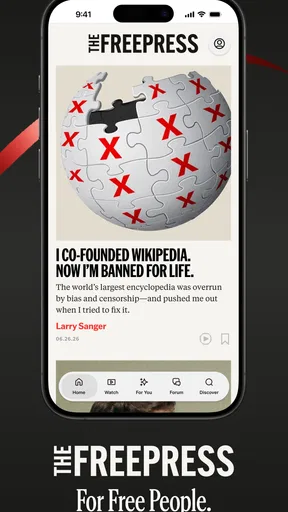
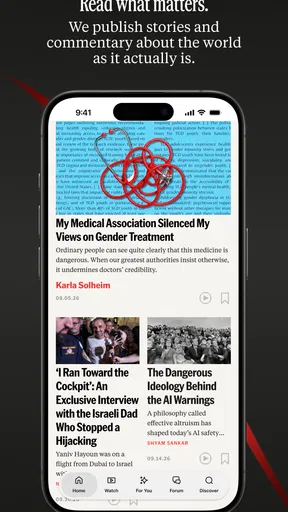
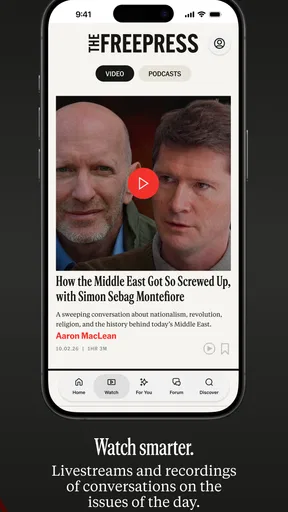
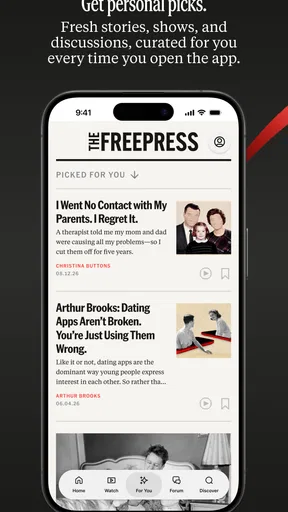
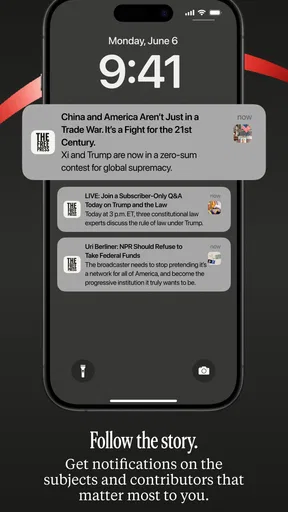
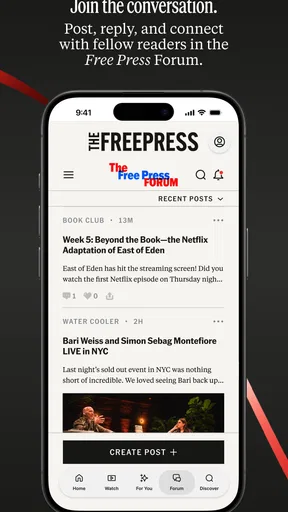
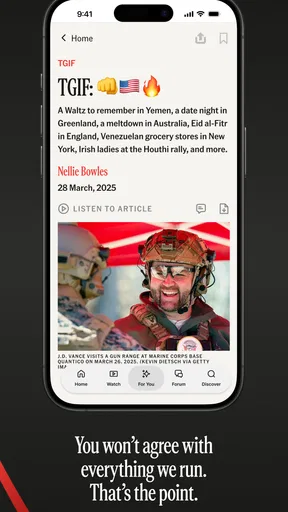
 Analysis by AppCompare
I approached The Free Press as a news reader for people who want more than a stream of isolated headlines. Its focus is sensemaking: helping me spend time with current affairs in a way that feels more deliberate than jumping between social posts, notifications, and several separate publisher apps. It is a free News & Magazines app from Runaway Media Inc., aimed at readers aged Everyone 10+.
That positioning matters because the usual news routine is often fragmented. I might see a headline in a social feed, open a browser tab, forget where it came from, and then move on before understanding the wider issue. This app is most interesting when used as a repeatable reading habit rather than as a place to glance at one headline and close. My overall impression is positive, especially for readers who value context and a calmer way to follow public events, although it will not replace every specialist source or satisfy people who want a highly configurable breaking-news dashboard.
How I used The Free Press as a daily news starting point
My baseline workflow was simple: open the app when I had enough time to read, scan the available coverage, choose one subject that genuinely mattered to me, and stay with it instead of treating every item as equally urgent. That small change made the experience feel less like clearing a notification queue and more like choosing what deserved attention.
The app’s store summary describes it as “News and Sensemaking,” while its short description presents it as “The Free Press.” I found the first phrase more useful for setting expectations. This is not merely a headline ticker in my routine; its value comes from using it to organize my attention. I would open it during a morning coffee, identify the stories that could affect my day, and return later only when I wanted to understand an update rather than repeatedly refresh for novelty.
One realistic use case is a commuter who has ten minutes before work and wants a trustworthy starting point without opening five different apps. Another is a student who needs to follow a developing public issue over several days and wants to build a clearer mental timeline. I also think it suits readers who are tired of algorithmic feeds because the app encourages a more intentional relationship with news. It is less suitable for someone who only wants local traffic, sports scores, market movements, or a narrowly specialized professional briefing.
The biggest practical benefit is the possibility of turning reading into a two-stage process. First, I use the app to discover what deserves attention. Then I slow down and ask what the story means, what has changed, and which assumptions I am bringing to it. That second stage is where a sensemaking-oriented app can be more valuable than a conventional feed, but it requires me to resist the habit of skimming everything.
I would not use it as my only emergency-news channel. For urgent events, official alerts and direct statements from relevant authorities remain more appropriate. The Free Press works better as a regular source for understanding the news landscape than as a substitute for every specialized or first-party source I may need.
Worth Reading Before You Choose

EA SPORTS FC Mobile 26 Is a Bigger Football Game, but It Takes Time

Flipboard Shows What News Apps Must Do Beyond the Feed

Switching to Android Auto Means Rethinking Your Driving Routine

Google Calendar Makes a Crowded Week Easier to Manage

Ludo King Makes the Most of the Minutes Between Plans

Baby Panda World Brings Quick Play to Modern Phones, but Its Game Library Feels Busy
The first session: what to notice before settling into a habit
On a first run, I recommend resisting the temptation to judge the app after a quick scroll. Instead, look at how naturally its presentation supports three questions: What is happening? Why does it matter? What should I read next? If the structure helps you answer those questions, the app has a clear role in your routine. If you mainly want instant alerts or a dense list of every possible topic, its slower, more considered approach may feel restrictive.
The current version is 1.1.1, and the app supports devices running Android 8.0 or later. That makes it accessible to people using older compatible phones, although the reading experience will still depend on the screen size, system performance, and how comfortable you are reading longer material on that device. I would test it on the phone I actually use every day rather than assuming that a good first impression on a large screen will feel identical everywhere.
It is also worth deciding what “free” means in your own routine. The app itself is free to install, which removes the initial barrier to trying it. The more important question is whether its approach earns a regular place beside the other news sources you already use. I would give it several reading sessions before making that decision, because its strength is not necessarily revealed by a single headline.
Settings and habits that make the reading experience more useful
Experienced use begins with checking the app’s available settings rather than accepting the default experience without thought. I would look first for controls related to notifications, text presentation, and reading behavior. I am not treating those as guaranteed features; the useful principle is to inspect what the installed version actually offers and keep only the options that support your routine.
Notifications deserve particular attention. If the app allows notification control, I would avoid enabling every alert at the start. A smaller, intentional set of prompts is easier to live with than a constant stream that turns a thoughtful reader into a compulsive checker. If the available controls are limited, I would manage the app’s notifications through the phone’s system settings and reserve a specific time for opening it. This is a practical way to preserve the app’s sensemaking purpose instead of letting alerts dictate my attention.
Text comfort is another setting worth checking. News reading becomes tiring when the type is too small, the contrast is uncomfortable, or the screen turns off before I finish a substantial piece. Where the app or device gives me control over those details, I prefer a readable size and a display setting that works in the lighting where I normally read. That sounds minor, but comfort affects whether I reach the end of an article and remember its argument.
I also recommend checking how the app behaves when you leave and return. Does it reopen where you stopped? Does it preserve your place naturally? Does it make it easy to move from a headline into deeper reading? These are the small workflow questions that matter more than a decorative interface. I would not build a habit around a feature until I had tested it through a few interruptions, such as answering a message, locking the phone, or switching briefly to another task.
My preferred setup is deliberately quiet. I would keep the app available on the first screen or in a clearly named folder, but I would not let its icon become another visual demand. The goal is to make opening it easy when I have time, not to turn every spare second into a news-checking opportunity. This distinction is especially important for people who already feel overloaded by current events.
A repeatable reading routine beats endless scrolling
A useful routine is to separate discovery from reading. During the first pass, I identify one or two subjects. During the second, I read one of them properly and write down, mentally or elsewhere, the central point and the question it raises. Later, I can return to the app with a purpose. This prevents the common mistake of consuming many headlines while retaining very little.
I also found it helpful to connect a story to a personal decision. For example, if a report concerns a policy change, I ask whether it affects my work, travel, finances, community, or conversations with family. If the answer is no, I may still care about it, but I do not need to treat it as immediately actionable. That filter makes the app more useful because it turns a broad news stream into a manageable reading plan.
Another good habit is to pause before sharing. I would read beyond the headline, identify whether the item is describing a confirmed event or an interpretation, and consider whether I understand enough to explain it without exaggeration. The Free Press can support that discipline, but it cannot perform it for me. Sensemaking is partly a product experience and partly a reader behavior.
Faster patterns for busy days
When I have only a few minutes, I do not try to read everything. I use a quick triage pattern: scan, choose, read, leave. The first pass is for orientation, the second step is a deliberate choice, the third is focused reading, and the final step is closing the app once I have gained what I came for. This is faster than repeatedly reopening a feed throughout the day and usually leaves me with a clearer understanding.
For a workday, I would use one short session early and one optional session later. The first helps me identify subjects that may affect meetings or plans. The second lets me check whether a story has developed. The important trade-off is that I am not trying to monitor every change in real time. If I need minute-by-minute updates, a dedicated live-news source may be a better fit.
For study, I would create a small external note with three lines: the issue, the strongest point I encountered, and what remains unclear. This is not a special feature of the app; it is a workflow that makes the app’s sensemaking angle more concrete. After several sessions, those notes help me notice whether I am learning a subject or merely revisiting familiar headlines.
For family conversations, I would use the app before discussing a complicated topic rather than relying on a memory of a social post. I would still distinguish between what the app presents and my own conclusion. That habit reduces the risk of passing along a confident but incomplete summary. It is one of the less obvious ways to get value from a news app: not by reading more, but by speaking more carefully after reading.
Shortcuts can also be behavioral rather than technical. I keep a consistent opening time, use the same scan-to-read sequence, and stop when I have answered the question that brought me in. If the app provides system-level shortcuts or notification actions on my device, I would test them, but I would not assume they exist or make them central to my workflow. The reliable shortcut is a repeatable decision process.
Where it compares well with ordinary alternatives
Compared with a general web browser, The Free Press offers a more focused starting point. A browser gives me enormous choice, but that choice can become friction: tabs multiply, sources vary in quality, and I can lose the thread of the story. The app is preferable when I want a guided news session rather than an open-ended research trip.
Compared with social media, it is a better fit for readers who want to reduce the influence of popularity signals and emotional reactions. Social platforms are useful for discovering what people are discussing, but they often mix reporting, commentary, advertising, and personal claims in one stream. I would use social media to notice questions and the app to approach those questions more deliberately.
Compared with a single newspaper or publisher app, The Free Press may be more appealing to someone who does not want to build a routine around one editorial brand. However, a dedicated publisher can be better when I need a particular specialist section, a deep archive, local reporting, or a publication’s distinctive analysis. I would not choose this app simply because it is free; I would choose it because its broader sensemaking role matches how I want to read.
Compared with an alert-heavy aggregator, its advantage is restraint, assuming the available presentation continues to support that style. The trade-off is obvious: restraint can mean fewer immediate signals. Users who follow markets, live sports, elections, or rapidly changing emergencies may prefer a service designed around speed and granular alerts.
Advanced limits and the points where judgment is still required
The app’s central promise creates its main limitation. Sensemaking is more valuable than headline collection, but it also asks more from the reader. I cannot simply install the app and expect confusion to disappear. Complex stories still require source awareness, patience, and sometimes comparison with primary documents or specialist reporting.
I would be cautious about treating a polished explanation as the final word. Even when an article feels clear, I may still need to check dates, definitions, and the difference between evidence and prediction. The app can help organize my attention, but it should not replace independent judgment. This is particularly important for health, legal, financial, and safety decisions, where a general news reader is not the right authority.
Another limitation is personalization. Some readers want an extremely precise mix of regions, subjects, authors, reading lengths, and alert thresholds. If the app does not provide that level of control in the version on your device, the experience may feel broad rather than tailored. I would skip it if my main requirement is a highly specialized professional feed that filters everything automatically.
There is also a time-cost trade-off. A thoughtful reading workflow takes longer than scanning headlines. I consider that a strength when I have the attention to use it, but it can become friction on a crowded day. My solution is not to force a full session; I either choose one item or wait until I can read properly. Trying to consume the entire news landscape through any app is a poor goal.
The age rating of Everyone 10+ suggests that families should still apply ordinary parental judgment. News can involve upsetting subjects even when an app is broadly accessible. I would be comfortable recommending it to older children only alongside conversations about headlines, opinion, uncertainty, and emotional boundaries. The rating does not remove the need to decide what a particular child is ready to encounter.
Its early scale also shapes my expectations. The app has passed ten thousand installs, with an average rating of 4.8 from around one thousand one hundred ratings and one hundred twenty-four reviews. Those figures suggest a strong reception among current users, but they do not tell me whether it will match every reader’s preferred news style. I treat the rating as an encouraging signal, not as a substitute for trying the workflow myself.
Who should install it, and who should pass
I would recommend The Free Press to a reader who wants a free, general-purpose news app with a sensemaking emphasis; someone trying to escape social-feed overload; or a person who wants a repeatable morning reading habit without committing to one publisher. It is especially promising for readers who judge an app by how well it helps them understand and remember, not just how quickly it produces another headline.
I would suggest looking elsewhere if you need local-only reporting, specialist industry coverage, comprehensive live alerts, or a large collection of advanced filtering controls. I would also skip it if I knew I would use it only to refresh repeatedly throughout the day. That behavior works against the app’s strongest idea.
Before making it part of my routine, I would answer three practical questions. Can I find the subjects I care about without excessive searching? Can I read comfortably on my phone for the amount of time I usually have? Does the app help me form a clearer view than my present combination of browser tabs and social feeds? If the answer is yes to all three, it has earned a place on the device. If not, the problem is probably fit rather than quality.
My verdict after building a steadier news habit
The Free Press is at its best when I treat it as a thinking tool, not a frantic update machine. Runaway Media Inc. has positioned this free app around news and sensemaking, and that gives it a clear identity in a crowded category. I like the idea because it addresses a real problem: many of us receive plenty of information but struggle to decide what deserves sustained attention.
My recommendation is to install it, adjust the available notification and reading options, and test it through a consistent routine rather than judging it by a single visit. Use one session for discovery, one story for depth, and a simple note or mental summary to check whether the reading actually stayed with you. That workflow reveals its strengths quickly and also makes its limits obvious.
The app will not be the right answer for every news need. It cannot replace official sources during urgent situations, specialist publications for technical subjects, or local services for neighborhood reporting. Still, for everyday readers who want a calmer and more thoughtful way to begin following current events, it is an appealing choice. Its 10K+ installs and strong 4.8 average show that many users are responding well to the approach, while the free price makes experimentation easy.
After using it this way, I would recommend The Free Press to a friend who says, “I want to understand the news, but I do not want to spend all day chasing it.” The key is to bring a little discipline to the experience. Open it with a question, choose deliberately, read past the first impression, and stop when you have gained enough context. That combination of a focused app and a repeatable habit is where its real value appears.
Pros
- Independent journalism often offers perspectives beyond mainstream coverage.
- Clean reading experience with articles organized by topic and publication.
- Useful for readers interested in politics
- culture
- and current affairs.
- Regular updates help users follow developing stories throughout the day.
- Opinion and analysis pieces provide additional context around major events.
Cons
- Some articles may reflect a strong editorial viewpoint or political bias.
- Coverage can feel more focused on national issues than local communities.
- Frequent news updates may lead to a crowded or overwhelming feed.
- Certain stories may require a subscription or membership to access fully.
- Article quality and depth can vary depending on the writer and subject.
FAQs for The Free Press
What is The Free Press app?
The Free Press is a news and opinion platform focused on independent journalism, current affairs, politics, culture, and public debate. Its content is designed for readers who want reporting, commentary, interviews, and newsletters presented outside the traditional mainstream media model. Before downloading, users should understand that some articles or features may require an account or subscription, depending on the platform and content available in their region.
Is The Free Press free to use?
The Free Press can generally be downloaded without charge, and users may be able to access selected articles, podcasts, newsletters, or other introductory content for free. However, the full catalog may include subscriber-only journalism and premium features. Pricing, trial availability, and access limits can change, so it is advisable to review the subscription details shown in the app before starting a trial or entering payment information.
What type of content can I find on The Free Press?
The app offers a mixture of written reporting, opinion pieces, interviews, essays, podcasts, videos, and newsletters covering topics such as politics, society, international events, technology, culture, and media. Its editorial voice often emphasizes perspectives that challenge conventional narratives. Readers should therefore approach commentary as analysis or opinion, compare important claims with other reliable sources, and decide whether the publication’s viewpoint suits their interests.
Does The Free Press require an account or subscription?
Some content may be available without registration, but creating an account can be necessary to save preferences, receive newsletters, manage subscriptions, or access member-only material. A paid subscription may unlock the complete library and additional formats or events. Because account requirements can differ between the Android, iOS, and web versions, check the sign-in and membership information displayed during setup before committing to a plan.
Is The Free Press suitable for every reader?
The Free Press may appeal to readers who enjoy independent journalism, strong editorial perspectives, and discussions about controversial or politically sensitive subjects. It may not be ideal for users looking only for short, strictly neutral news summaries or completely ad-free access without a subscription. Content can include challenging opinions and mature themes, so prospective users should review the publication’s style and privacy or billing terms before downloading.


